
Operate
Bookings & scheduling
Take appointments without the back-and-forth
A team calendar, a public page customers book themselves, and confirmations and reminders that go out on their own.
- Day, week, month & agenda views
- A public page customers book themselves
- Double-booking prevented by the database, not by code
- Confirmations and reminders that send themselves
We reply in under an hourOr message us on WhatsApp
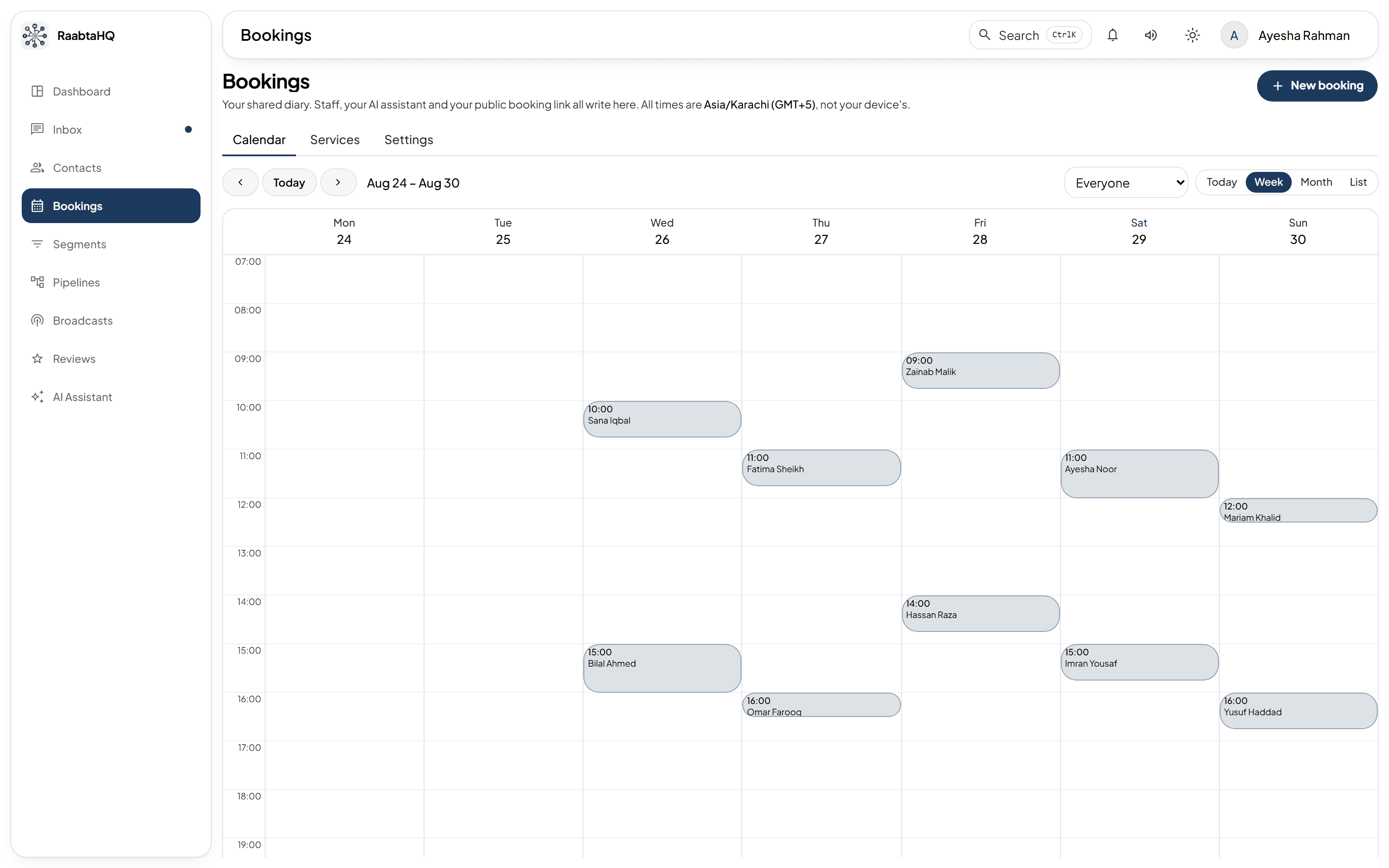
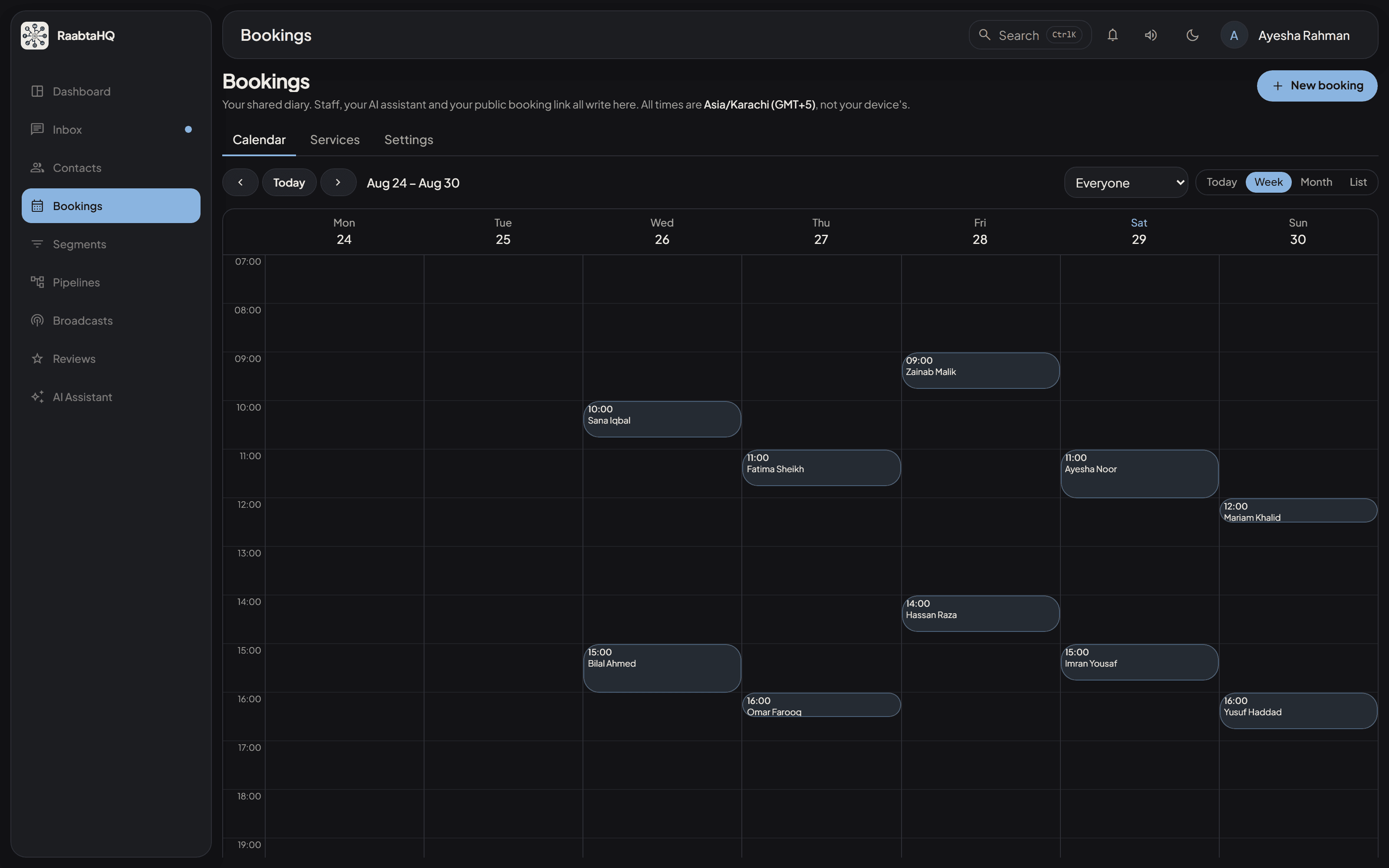
A screenshot of the running product. The names and numbers are invented; the software is not.
01 / 05
Four views, one calendar
Day, week, month and agenda, all fed by a single data load. The view, the date and the member filter live in the URL, so a given week is a link you can send someone and the back button behaves the way they expect. It updates in realtime — an appointment taken at another desk, by the AI assistant, or on the public page appears without a refresh. Every time on screen is rendered in the account's timezone, not the viewer's, so a colleague travelling doesn't see a different diary.
02 / 05
Let customers book themselves
Turn on a public booking link and a customer picks a service, a team member and a slot, then leaves their name and number. The booking creates or matches their contact and lands in the same calendar as everything else, tagged as customer-booked so you always know where it came from.
- Set the minimum notice and how far ahead people may book
- Custom page heading, and link rotation when you need a clean slate
- An unknown or disabled link returns a plain 404 — it never confirms an account exists
03 / 05
The slot you see is the slot that's free
Availability is derived, never stored: weekly working hours, minus one-off time off, minus existing bookings each extended by its type's trailing buffer, sliced into slots. One engine serves the staff slot picker, the public page and the AI's slot-finding tool, so staff and the assistant can never disagree about what's free. And double-booking is prevented by a database constraint rather than by application code — a clash surfaces as 'that time has just been taken' on every path, not as an error page.
04 / 05
Four messages that send themselves
Booking confirmed, a reminder before the start, booking cancelled, and a follow-up after the appointment is marked complete. Each rule carries an offset, a target channel, and a free-text body and/or an approved WhatsApp template — and you can add the reminder rule more than once for, say, 24 hours and 2 hours before. Messages go out on the contact's existing conversation, on whichever channel they already use.
- Variables for the contact, your business, the date, time, assignee, type and location
- An unknown variable collapses to nothing rather than printing a placeholder at a customer
- Rescheduling replaces the pending reminders instead of queueing a second set
05 / 05
Unless your industry module owns the diary
This is core's general-purpose scheduling. On an account running an industry module — an aesthetics clinic, for instance — that module owns scheduling instead, with its own diary shaped around the vertical, and this one stands down entirely.
Explore more
Works well with
Contacts & CRM
One clean record per customer
Tags, custom fields, notes and CSV import with automatic phone-number deduplication — so every customer is one record, not five.
Learn moreReviews & reputation
More public reviews. Unhappy feedback stays private.
Tokenized review requests, a star gate that routes happy customers to Google and friends, and a private queue for everyone else.
Learn moreAI assistants
It drafts, it replies, it knows when to fetch a human
Draft replies and summarise threads, or hand whole conversations to an assistant that answers within limits you set — and steps aside the moment a person takes over.
Learn moreWho uses this, and what for
The industries whose module leans on this capability, and the scenarios it shows up in.
Ready to answer every customer in one place?
Bring WhatsApp, Messenger and Instagram together with AI that actually helps. Talk to us and we'll get you set up.
We reply in under an hourOr message us on WhatsApp